

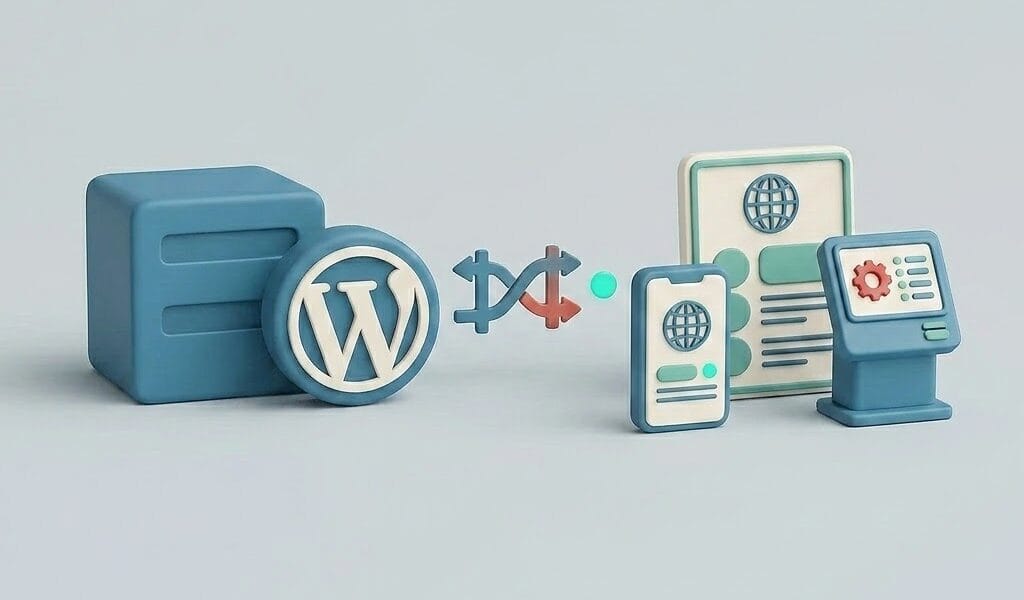
The term pops up in a quote from an agency, in a conversation with a developer, or in an article about modern web technology: headless WordPress. It sounds like something you should want, yet at the same time, it’s completely unclear what it means and whether it’s relevant to your situation. The short answer: headless WordPress means that WordPress now serves only as the management environment and repository for your content (the CMS), while the visible website itself (the front end) is built separately using other technology. The “head” that’s been removed is the display side of WordPress: your theme. And the honest follow-up to that answer: for most websites, this isn’t the right choice, but for a specific type of team and project, it certainly is. We’ll explain how it works and where that line is drawn.
How Headless Works
With a traditional WordPress site, a single system handles everything: you write content in the dashboard, and WordPress itself uses your theme to build the pages that visitors see. With a headless setup, that process is split. WordPress remains the place where editors log in and manage content, but it then delivers that content as raw data via the REST API (a standardized way for software to retrieve data) or GraphQL, an alternative query language for that purpose. A separately built frontend—usually in a JavaScript framework like Next.js or Nuxt—retrieves that data and determines entirely on its own how everything looks. That frontend often runs on a different hosting provider than the WordPress portion.
For editors, very little has changed: they simply continue to work in the familiar WordPress dashboard. However, virtually everything else is changing: themes and most plugins that handle front-end functionality (page builders, much of the SEO functionality, forms) no longer work automatically, because there is no longer a WordPress front end. All of that functionality must be rebuilt or integrated into the front end.
Why teams choose this
The benefits are real, and they explain why major media sites and tech-driven companies are choosing this approach. The front end can be extremely fast: pages are often pre-rendered and distributed globally, minimizing load times. Developers work in modern frameworks using their own tools, free from the limitations of the theme system. The same content can be distributed to multiple channels: a single article in WordPress can simultaneously power the website, an app, and a digital signage screen. And security improves systematically, because the WordPress portion can run completely behind a firewall while visitors see only the standalone front end.
The price you pay for it
Offsetting those advantages is a fundamental change in who can build and maintain your site. Without a developer, there’s no headless site: every front-end adjustment requires coding, and you lose the DIY power of WordPress (like quickly installing a plugin or tweaking something in the customizer). Familiar functionality must be set up anew, and it’s precisely the unobtrusive details that take time: the preview button, for example—which allows an editor to view a draft before publication—doesn’t work automatically in a headless setup and must be configured separately. From now on, you’ll be managing two environments instead of one, each with its own hosting, updates, and backup strategy; your backup approach will also become two-pronged, as outlined in the principles from our A Complete Guide to WordPress Backups and Migration ...which must then be applied separately to both environments. And the total costs are structurally higher: more construction time, more maintenance, and more specialized knowledge.
Who It's For and Who It's Not For
We’ve made our position clear here, because we regularly get this question from site owners who wouldn’t actually benefit from it. Headless is a good fit for organizations with their own development team or a dedicated agency, with high demands for speed and scalability, or with content that needs to be distributed across multiple channels. Think of media platforms, large corporate sites, and applications with a content component. For company websites, online stores, blogs, and essentially any site managed by the owner or a small editorial team, WordPress is traditionally the better choice: it’s faster to build, cheaper to maintain, and easy to customize yourself. Moreover, a WordPress site that has become slow can almost always be sped up with good hosting, caching, and optimization; “going headless for speed” is an unnecessarily drastic measure for the average site.
At Surver: our hosting runs on LiteSpeed servers with NVMe SSD storage, and in practice, well-optimized traditional WordPress sites achieve load times on these servers that don’t require a headless conversion. If you’re unsure whether your speed issue is due to architecture or optimization, our support team is available seven days a week to help you troubleshoot.
If you're considering it: the correct order
If, after all this, you’re still thinking about a headless approach, you’re probably right, and in that case, the order is: first, clearly define the editorial requirements (what content, what workflows, how important is the preview), then have your development team choose the front-end solution, and only then set up WordPress as a bare-bones content source. The WordPress component itself remains simply an installation that requires maintenance, updates, and security; you can find everything you need to know about that in our A Complete Guide to WordPress Management. And if you've actually come to the conclusion that a good traditional website is the right path for you, then it starts with our A Beginner's Guide to Creating a Website with WordPress.
